.svg)
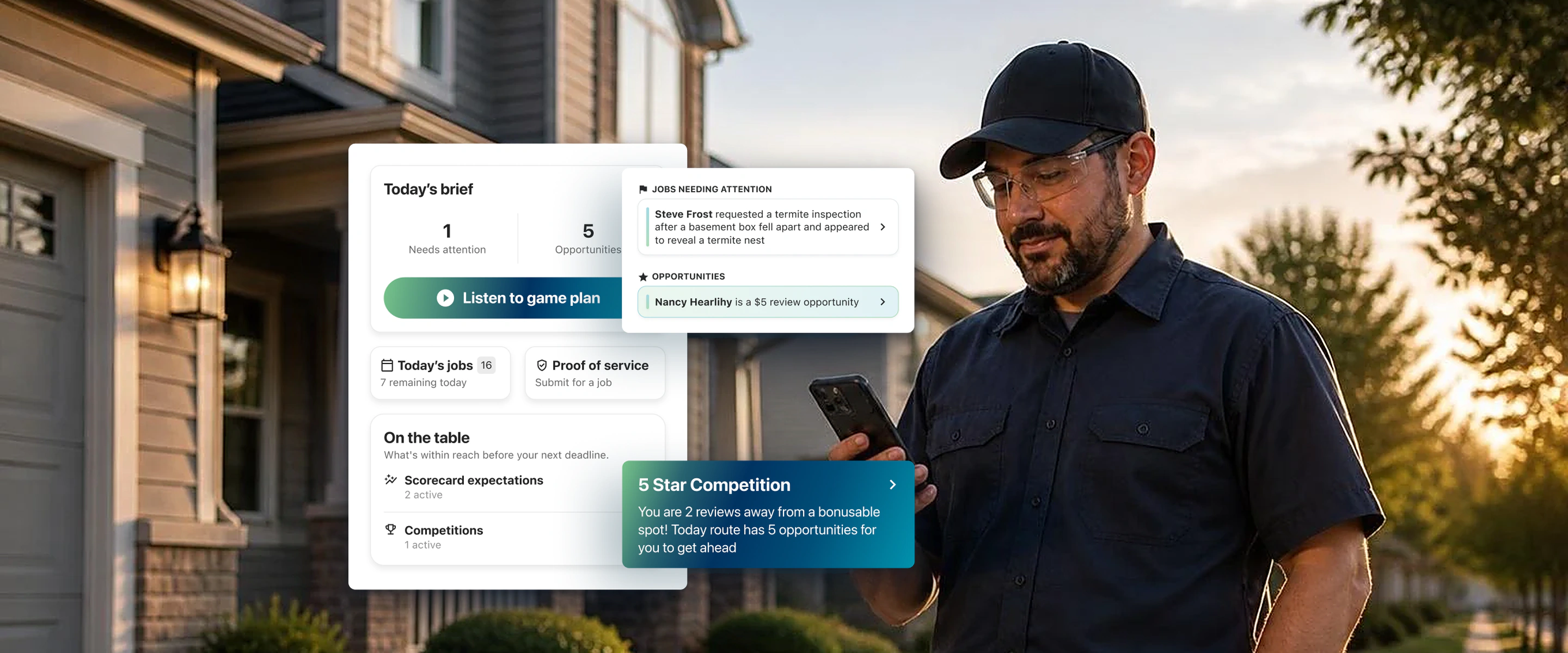



Ezra was covering a route that wasn't his. As far as he could tell from the job details, it was a normal day: a few property inspections and targeted prevention treatments.
What job details didn't show was that one customer on that route had just given the company an NPS score of 0. They'd reported a no-show, and they were thinking about canceling. In most cases, Ezra wouldn’t typically have this information and would have treated the customer like any normal visit.
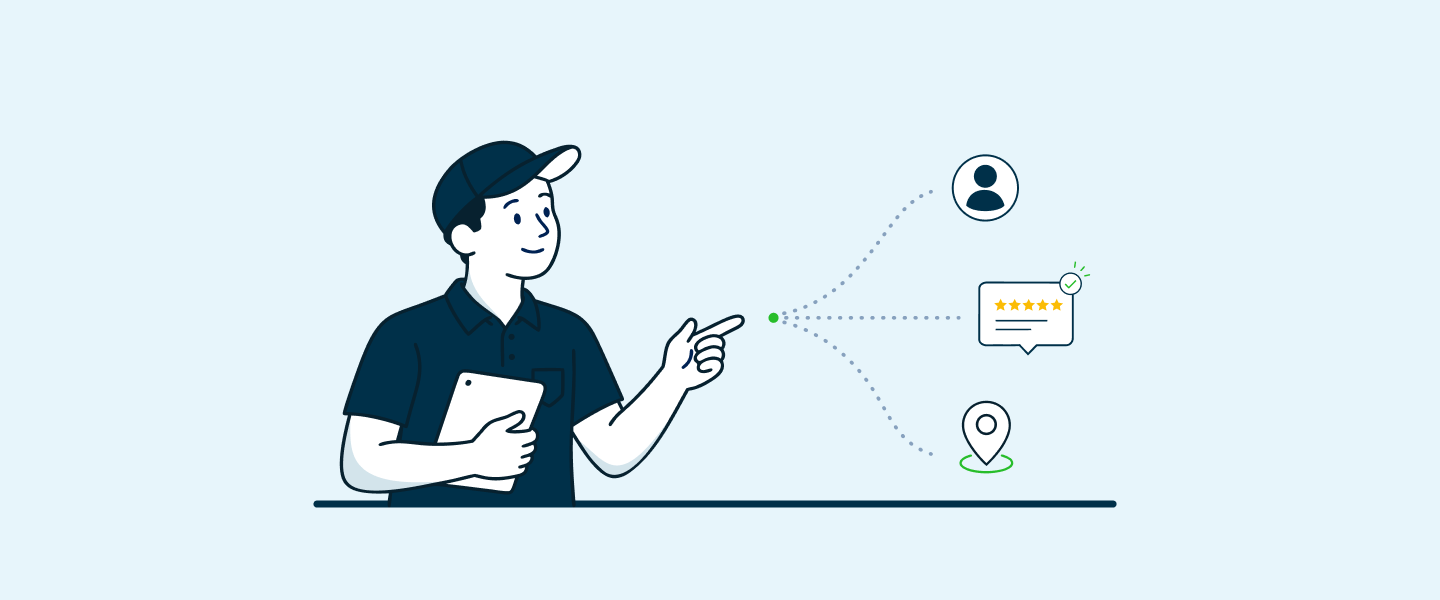
But Performance AI from Applause gave him the kind of insights that usually only come from the front office or years of servicing the same property: the context to perform like a top performer.
He made that customer a priority: He apologized for the missed visit, set clear expectations, and did the work. Afterward, the same customer who previously gave a 0 rewarded Ezra with a 10 NPS score.
Nothing about Ezra's skill changed between those two scores, and neither did his effort or his training. The only thing that changed was what he knew when he walked up to the door.
That points to a bigger opportunity for every home service business. When technicians have context at the moment it matters, they can perform at the top of their game and prioritize revenue-generating activities that grow the business. They can see how their actions shape reviews, NPS, tips, their scorecard, and, in the end, their earnings.
Read below why most technicians walk up to the door without that context, and how Applause Performance AI delivers real-time insights to every tech before they reach the customer's door, so every tech can perform like your best.
The Gap at the Front Door
Ezra's story isn't unusual. Most home service businesses already have the information that would change how a visit goes. It's just spread across the CRM, review platforms, NPS surveys, lead history, and the memory of whoever ran that route last.
Your best technicians piece it together on their own. Everyone else walks up to the door without it.
That's an odd gap when you think about it. We measure technicians on reviews, NPS, leads, upsells, and retention. Then we hand them a job list that says nothing about any of those things.
Ask yourself: if your best technician quit tomorrow, how much industry and job knowledge they employ, that equips them to be a top performer, would leave with them?
For most companies, the answer is most of it. The knowledge was never written down; It lived in their heads.
The gap between an average technician and a top performer usually isn't talent. More often, it's what information they have and when they utilize it. That's a gap traditional ride-alongs and weekly coaching sessions can't close at scale, and it's where Performance AI comes into play.
What Performance AI Means For Your Business
Performance AI closes that gap with AI built into the technician's daily workflow, bringing the information that matters to techs at the moment they can act on it.
For the business, it adds up to four outcomes:
- More productive technicians. Less time spent digging through CRM records, re-entering customer information, or calling the office empowers techs to focus on the work that generates revenue.
- More consistent service. Every tech sees and is delivered the same customer history and feedback, so the quality of a visit no longer depends on who happens to be running the route.
- More opportunities captured. Review and tip opportunities show up in the tech's workflow instead of being found, or missed, by chance.
- More value from every stop. Techs know which customers need extra attention and can act on it, protecting the accounts you've already worked hard to win.
How Performance AI Helps All Technicians Excel Like Your Top Performers
Top performers don't just complete the work. They know which customers need extra attention, spot opportunities for additional services, communicate well with customers, document their work and move efficiently to the next job.
Performance AI is designed to follow that same top-performing pattern:
- Know the day
- Prioritize the opportunity
- Perform at your best
- Capture the outcome
- Move to the next stop
Know the Day: A Daily Job List, Summary and AI Daily Brief
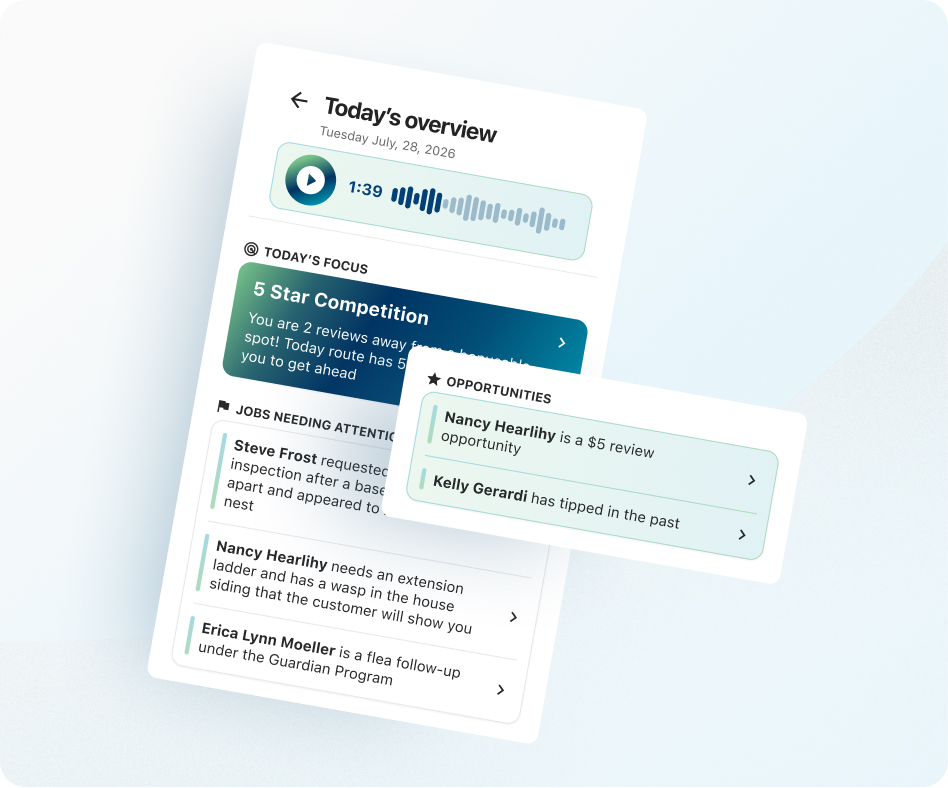
Each morning, Performance AI puts the tech's scheduled jobs in one place: customer names, addresses, service types, and scheduled times. Alongside the list is a Daily Summary that shows the shape of the day, including how many jobs are scheduled, which ones need attention, which customers have tipped before, and where there's a chance to earn a review or lead.
Techs don't even have to read it. Daily Briefs turns the Daily Summary into a 60- to 90-second audio briefing they can listen to before they roll out, covering the jobs that need extra care and the opportunities on that day's route.
It's a small change to the morning routine with an outsized effect. Techs start the day knowing where to focus instead of finding out at the door. Justin Nichols at Frontline Pest called pulling notes together and summarizing them with AI a major time saver for his technicians.
Prioritize the Opportunity and Perform At Your Best: A Job Brief on Every Job
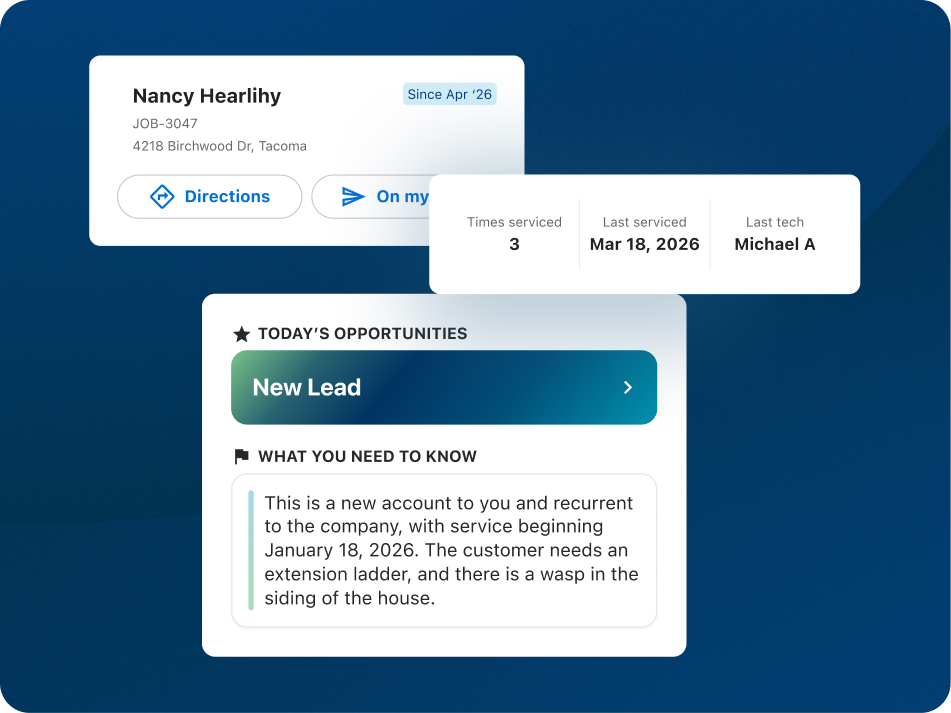
Before each stop, the per-job brief tells the tech what they need to know about that customer: whether they've left a Google review, whether they're a known tipper, whether they've had a low NPS score or a bad experience, plus access notes and service history where available.
This is where Ezra's story comes into play. A frustrated customer gets a tech who already knows why they're frustrated. A happy customer who has never left a review gets asked, and if you've set up a review bonus, the tech is auto-rewarded, which reinforces them to prioritize asking for them on every job.
One technician, Isaac, said knowing a customer was "troubled" would help him "double down on everything." That's the point. Great service stops depending on what a tech happens to remember or happens to be told, and consistency becomes the default. That's where Performance AI is most practical: not providing a lecture, but it provides the right nudge before the next stop.
Capture the Outcome: Proof of Service, Leads and Referrals
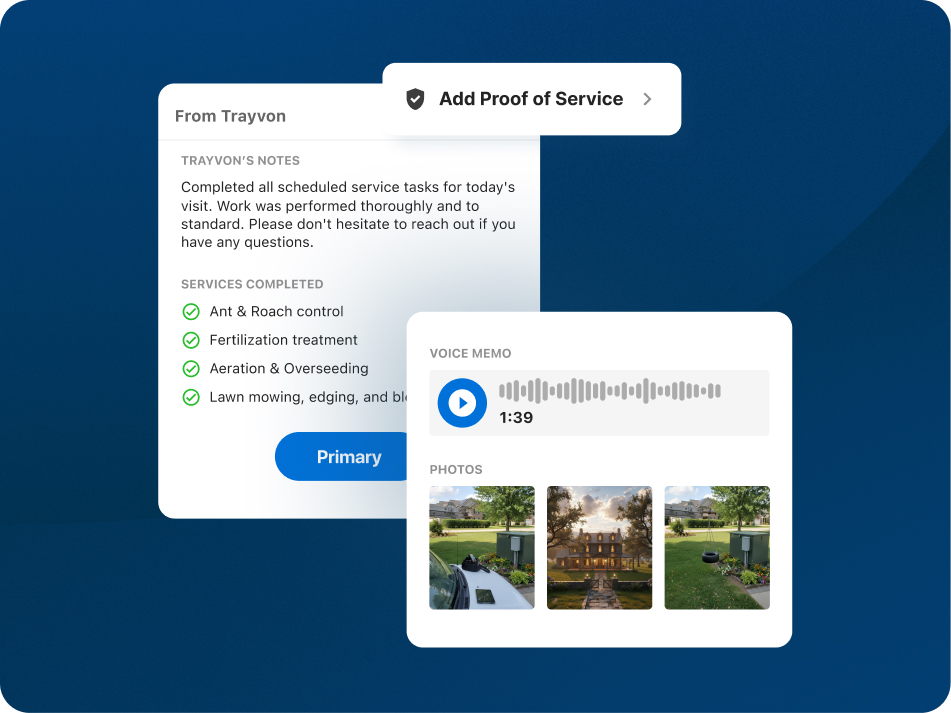
When the work is done, techs launch Proof of Service directly from the job with no CRM Job ID to look up. They can attach photos, written notes, audio notes, and video. If they spot a new opportunity, they can start a lead or referral with the customer's information already filled in, collecting only what's new.
Documentation is often treated as admin work. Customers see it differently. On recurring service plans, homeowners often never see the tech at all and they see Proof of Service as a way to gauge the value they've received.
It pays off for techs too. At one pest control company, a technician's detailed, personal post-visit notes were tied to about $500 a month in tips.
Move to the Next Stop: Equipped with Context Necessary to Excel
From any job, techs can open directions in their phone's navigation app and send an on-my-way text with the customer's number and a message template already filled in. These are small things, but small things done at every stop, every day, are what add up to a more productive route.
Why Context Changes Behavior
Something shifts when techs can see the impact of their work. One of our customers has described seeing their reviews and NPS comments as feeling "just as good as getting money."
Most technicians never see that feedback. It goes to the office, the owner, or a dashboard they don't check. When they do see it, at the moment they can act on it, the route stops being a list of stops and becomes a set of accounts they own.
That's the real behavior change: techs who understand how their actions shape reviews, NPS, tips, their scorecard, and their paycheck. That kind of ownership is hard to train and harder to manage into existence. It's much easier to build when the right information is provided to techs at the right time.
AI Coaching Best Practices for Field Service Leaders
Context without coaching is just more data. Performance AI isn't simply an AI assistant; it's a technician performance system, and it works best when leaders treat it as an additional support lever for their techs. One of our customers has said that his technicians would feel supported by having this information at their fingertips. That's the tone to set from day one.
Start with Your Top Performers
Ask your best techs what they check, remember, and do before a stop. Then use Performance AI to make those habits the standard for everyone, not just for the people who figured them out on their own.
Use Performance AI at the Start of the Day
Performance AI should be the starting point for how technicians understand and prioritize their work. Walk your team through what it shows them, then coach them on what to do differently because of it. Seeing that a customer hasn't left a review only matters if the tech knows how to ask for one.
Pair Performance AI with Scorecards
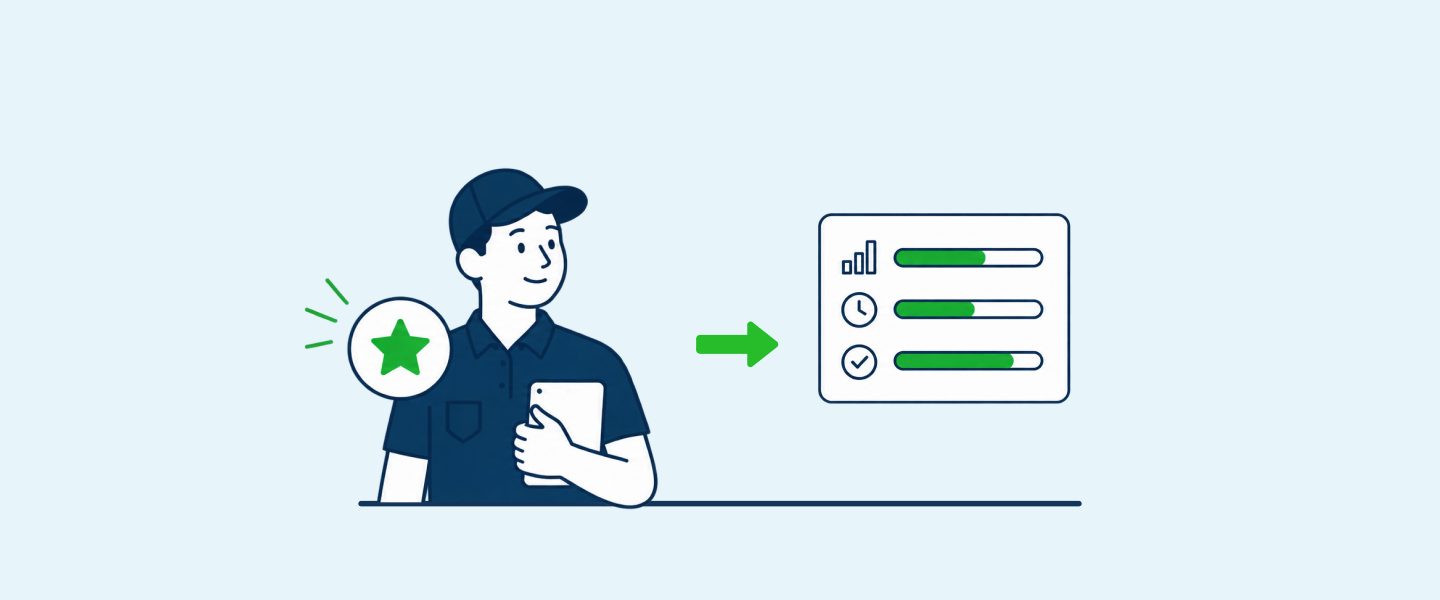
Scorecards show technicians where they stand on the metrics that matter most. Performance AI shows them the opportunities to move those metrics at each stop. Connect the two, so the behaviors techs partake in during the day line up with the goals you're measuring them on.
Measure What Changes
Track whether techs spend less time on admin work and complete their routes more efficiently. Then watch reviews, NPS, Proof of Service completion, and other outcomes. Share the wins with your team. Nothing reinforces a new habit like seeing it pay off.
The Next Leap in Technician Performance Occurs with Real-Time Context
The next leap in field service won't come from better routing. Routing got Ezra to the right house, but what turned an NPS score from 0 into a 10 was what he knew when he got there and how to deploy it.
That's what Performance AI is built for. Every tech walks up to the door with the context your best tech carries in their head, and the gap between average and top performers starts to close:
More productive technicians. More consistent service. More opportunities captured. More value from every stop.
Sign up for an Applause demo today to see how Performance AI helps every technician perform at the top of their game.
.webp)